We want the portal to feel comfortable and accessible for everyone, so you can set your account to any one of 14 different languages.
Available Languages
- Arabic
- Chinese
- English
- French Canadian
- Gujarati
- Haitian
- Hindi
- Italian
- Korean
- Polish
- Portuguese
- Russian
- Spanish
- Tagalog
You can update your language preference at any time from the Member Account section of the online portal.
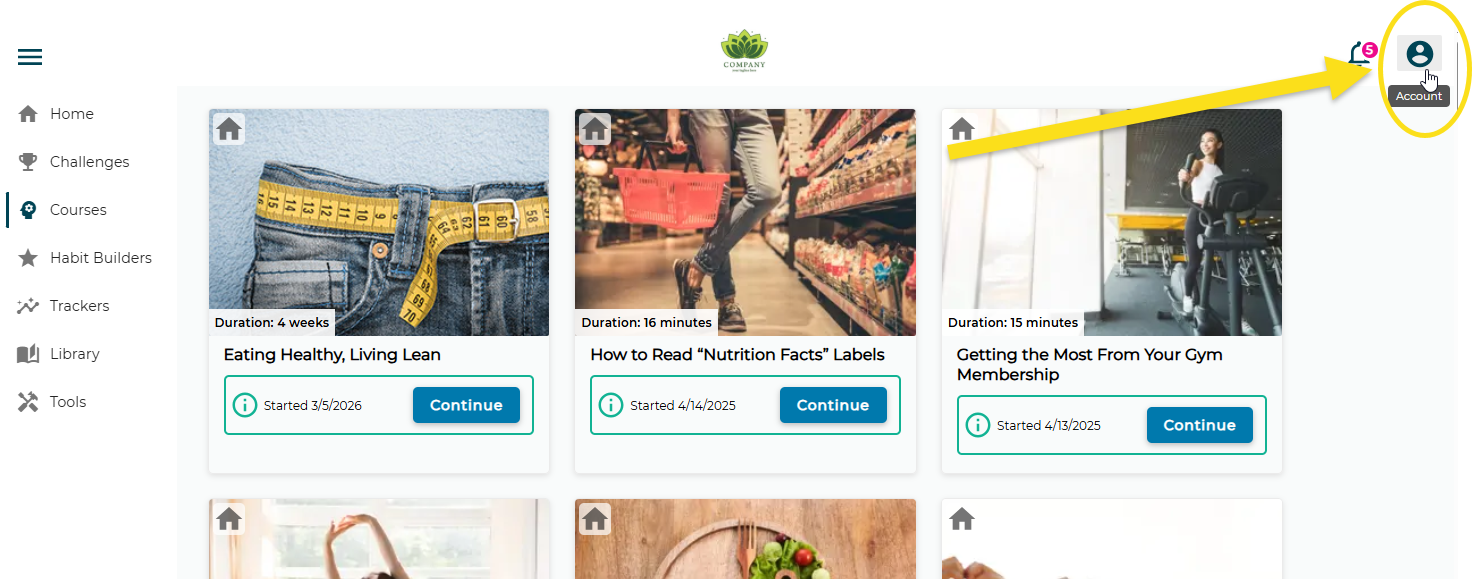
Step 1: Click on the Account Icon
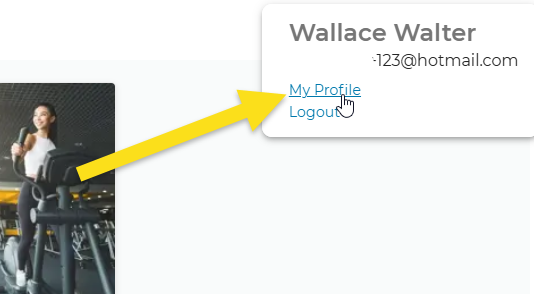
Step 2: Click on My Profile
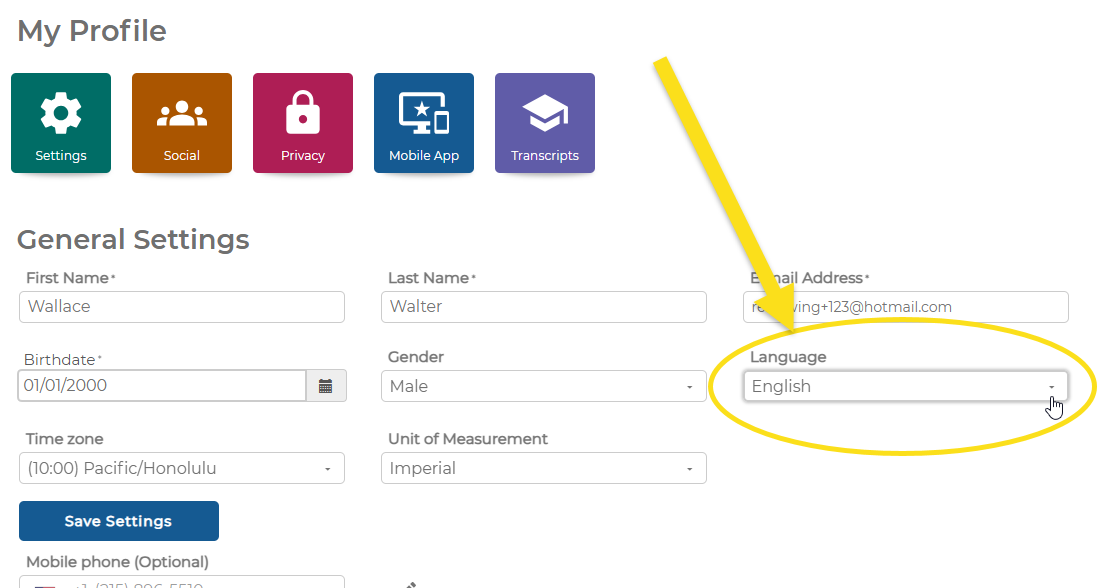
Step 3: Choose Your Language from the Dropdown
A few things to know...
Web versus the Mobile App
Language translation applies to the web pages in the portal; if you're using the app, your experience may vary.
Video captions
Closed captions are available for most of the videos throughout the portal.
French-Canadian Audio
If you're taking the Healthy Eating, Living Lean course, you can choose the French-Canadian audio option for many of the videos.
Was this article helpful?
That’s Great!
Thank you for your feedback
Sorry! We couldn't be helpful
Thank you for your feedback
Feedback sent
We appreciate your effort and will try to fix the article