If you use Avidon Trackers to log your wellness data, you can sync with Apple Health (iOS) or Google Health (Android) to automatically import your activity, sleep, weight, and other health metrics.
Note that device syncing can only be done if you have the Avidon Mobile App.
This article walks you through how to set up sync permissions and what to do if you see a “Permission Denied” message.
Syncing on iOS (Apple Health)
Enable Health Sync in Avidon
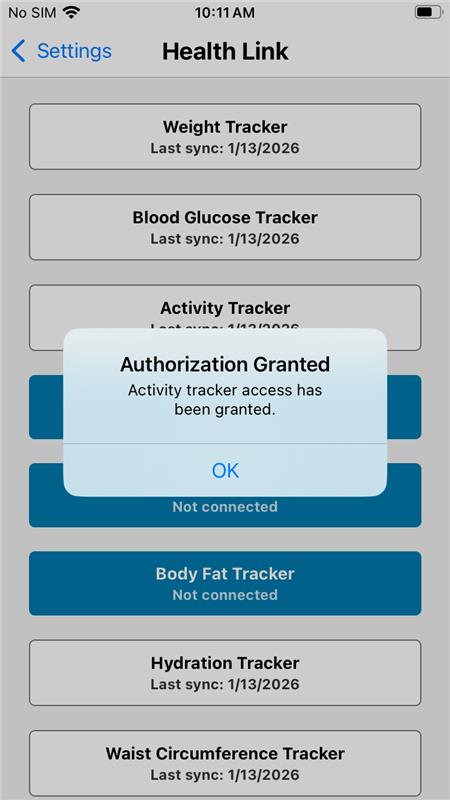
Open the Avidon app on your iPhone, go to Settings and click on Health Link; here you can click on the trackers you want to sync.
Enable Health Sync in iOS
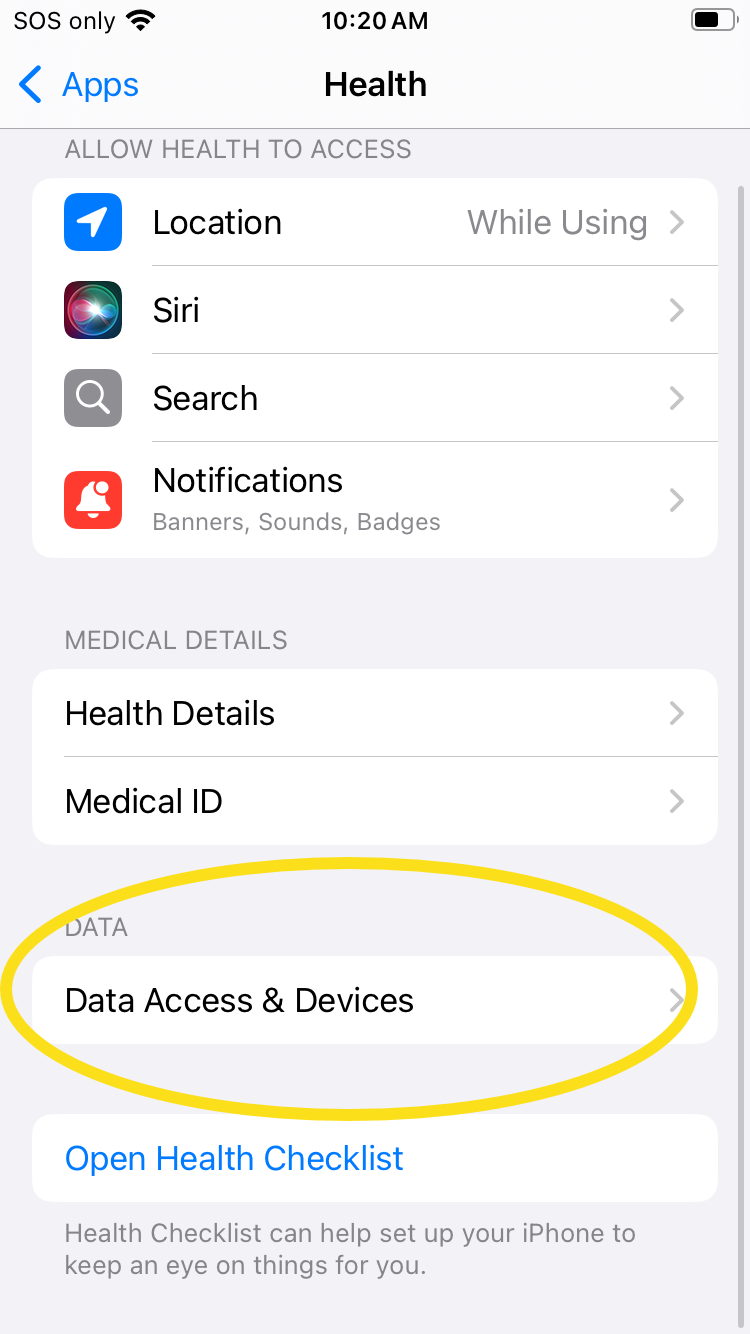
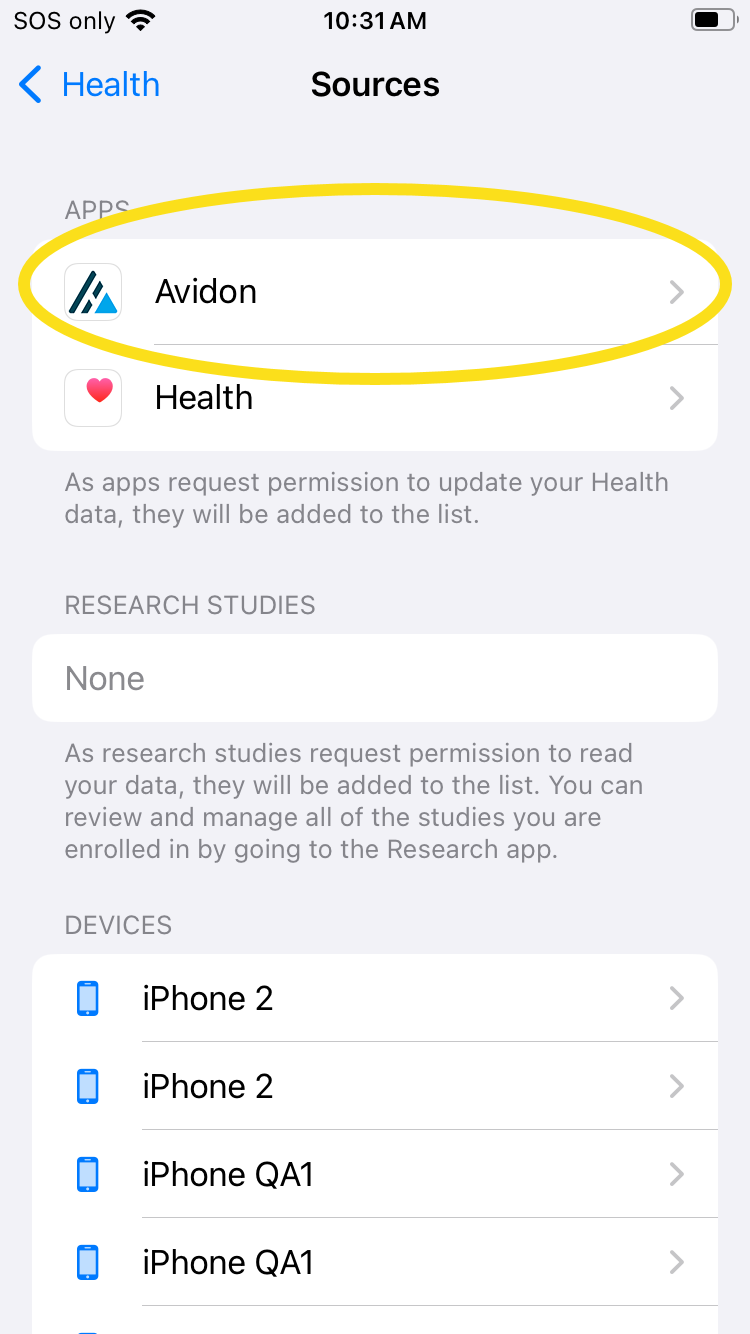
You can also manually enable the sync through iOS (rather than through Avidon's app). To do this, go to Settings, select Apps, then select Health App. On this page, select Data Access & Devices and choose Avidon:
 |  |
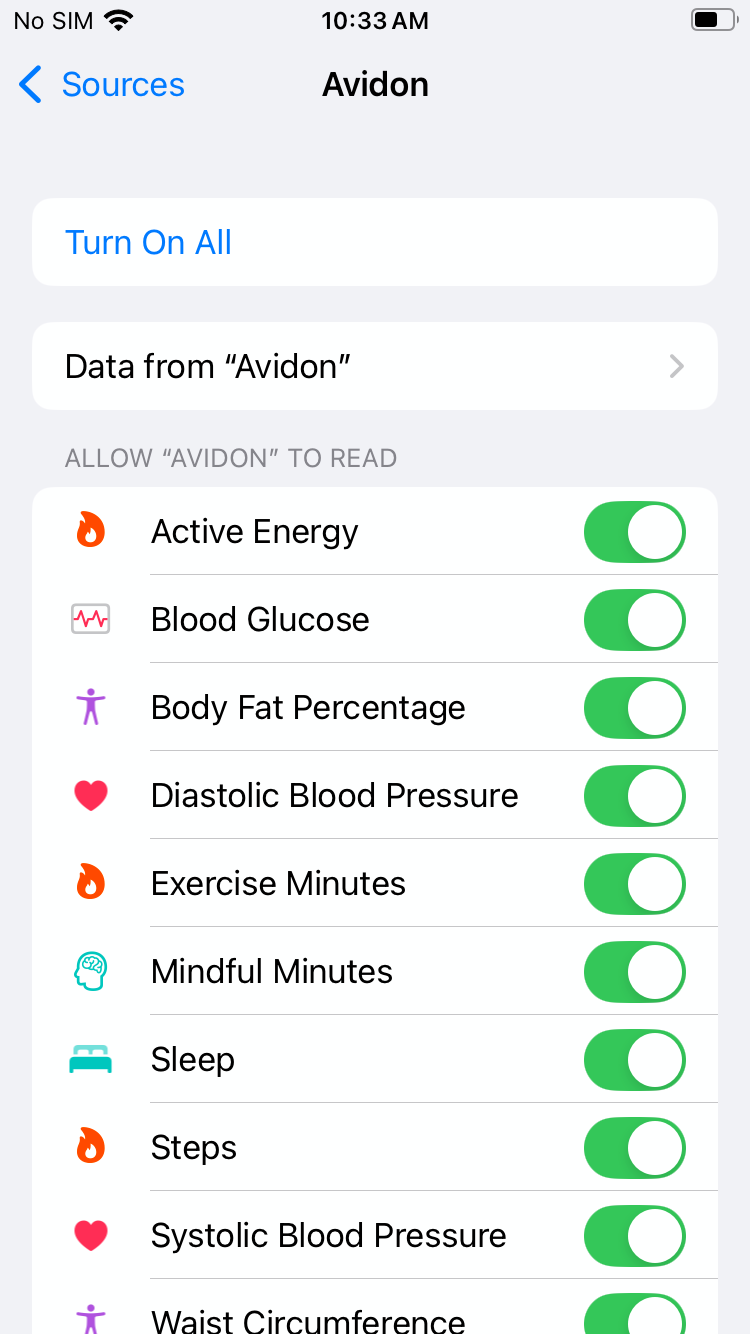
On this screen, you can select to turn them all on with one toggle or you can manage each one individually:
Mapping Avidon Tracker Names to Apple Data Health Types
In some cases, the names used by Avidon for its trackers and the names used by Apple Health for their data types aren't the same. For instance, Avidon has a Hydration Tracker which would be mapped to Water in Apple Health Data. The table below maps Avidon's Tracker names to Apple's Health Data.
| Avidon Tracker Name | Apple Health Data Type |
|---|---|
| Activity | Workouts |
| Blood Glucose | Blood Glucose |
| Blood Pressure | Diastolic & Systolic Blood Pressure |
| Body Fat | Body Fat Percentage |
| Calories | Active Energy |
| Hydration | Water |
| Sleep | Sleep |
| Steps | Steps |
Waist Circumference | Waist Circumference |
Weight | Weight |
Syncing on Android (Google Health)
Enable Sync in Avidon
Open the Avidon app on your Android device, go to Settings and click Apps; here you can click on Avidon App
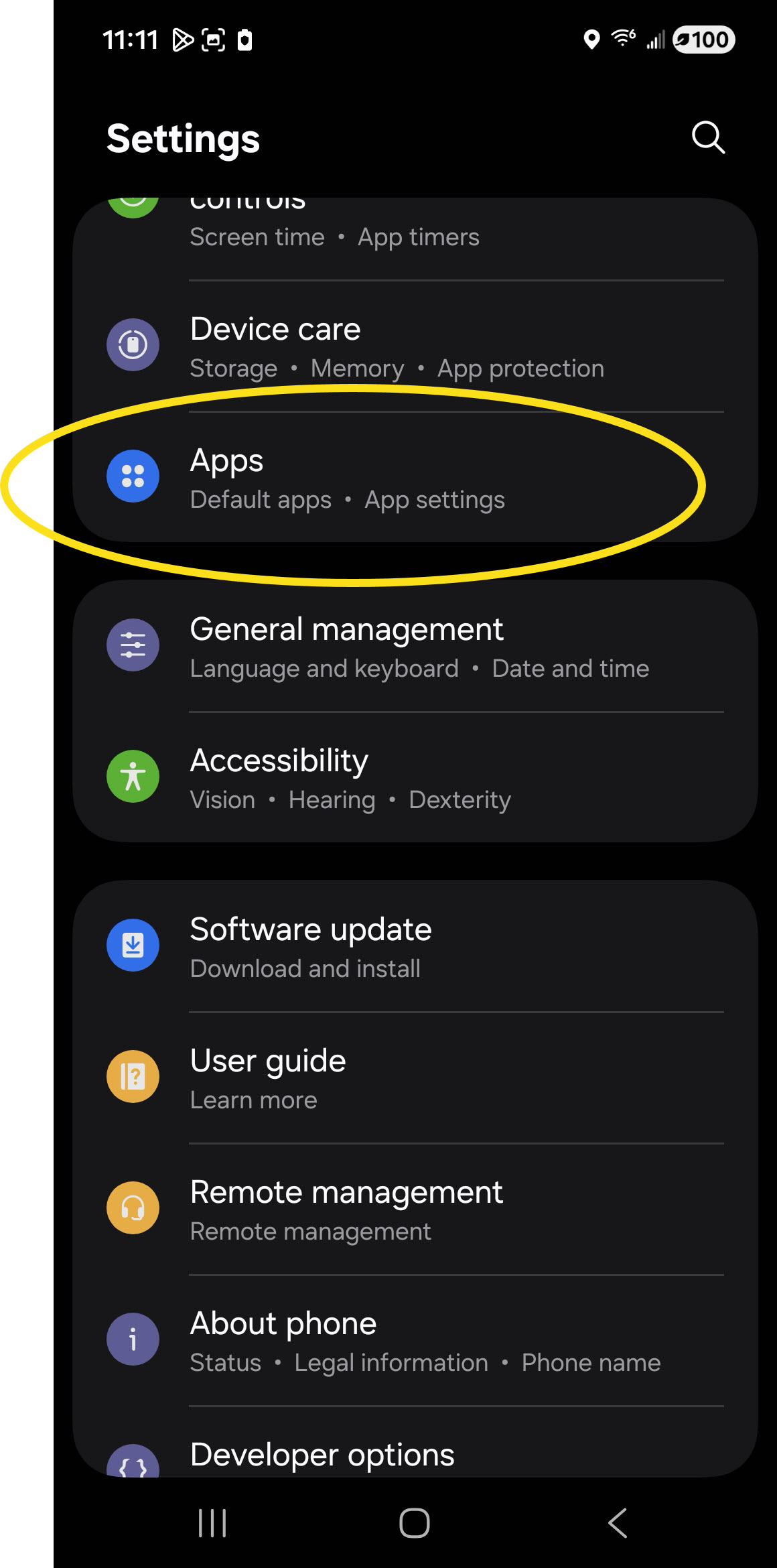 | 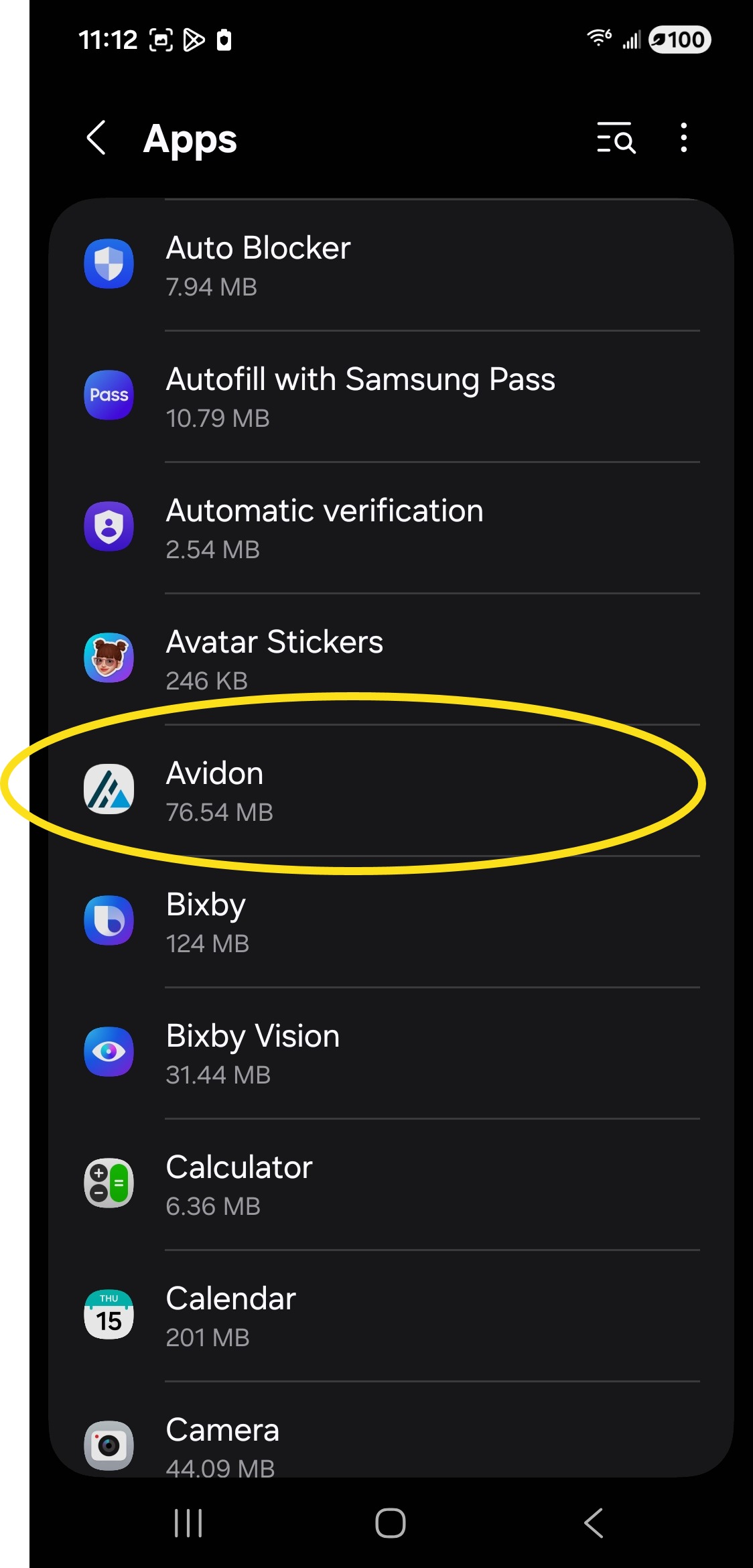 |
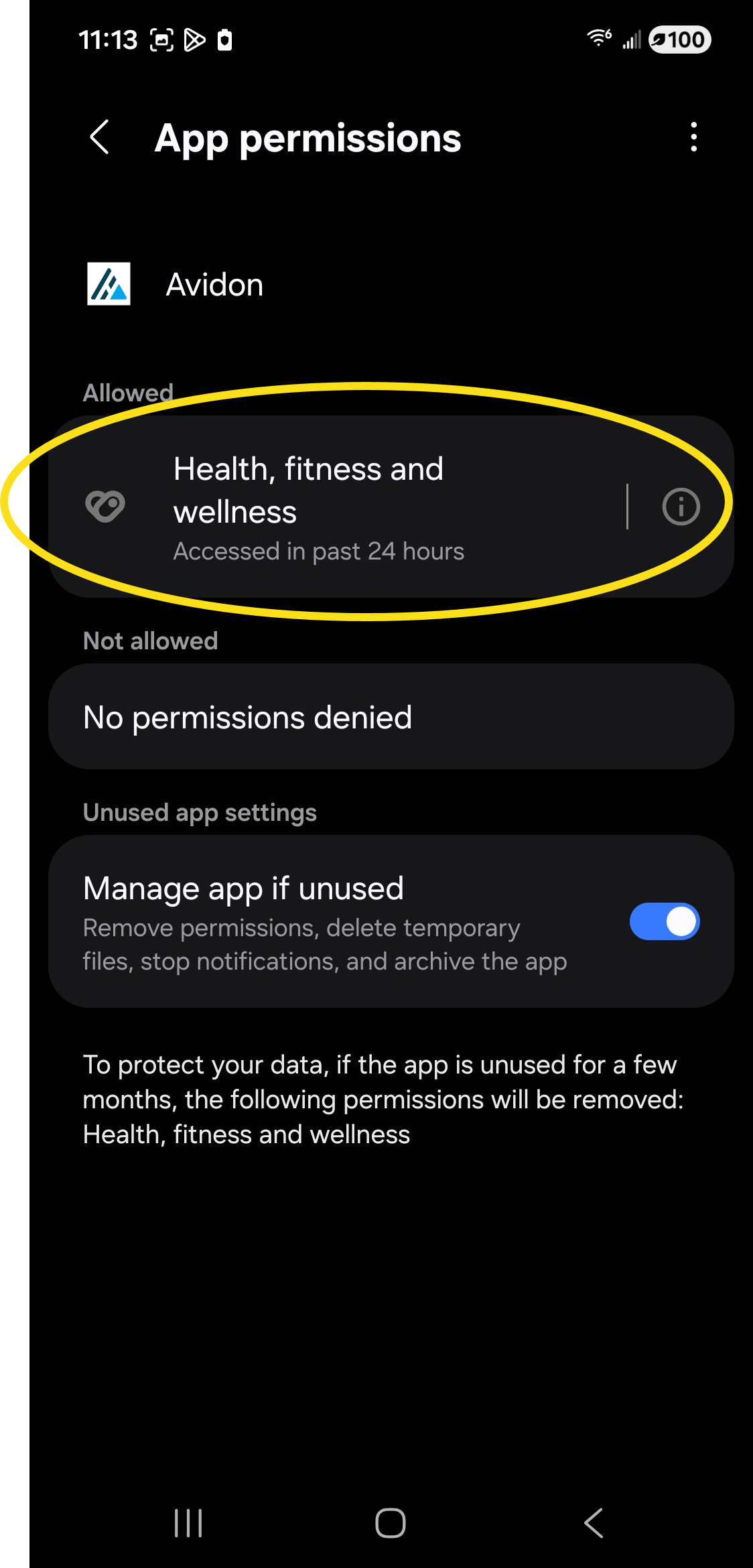
In the Avidon screen, select Permissions, then select Health, fitness, and wellness:
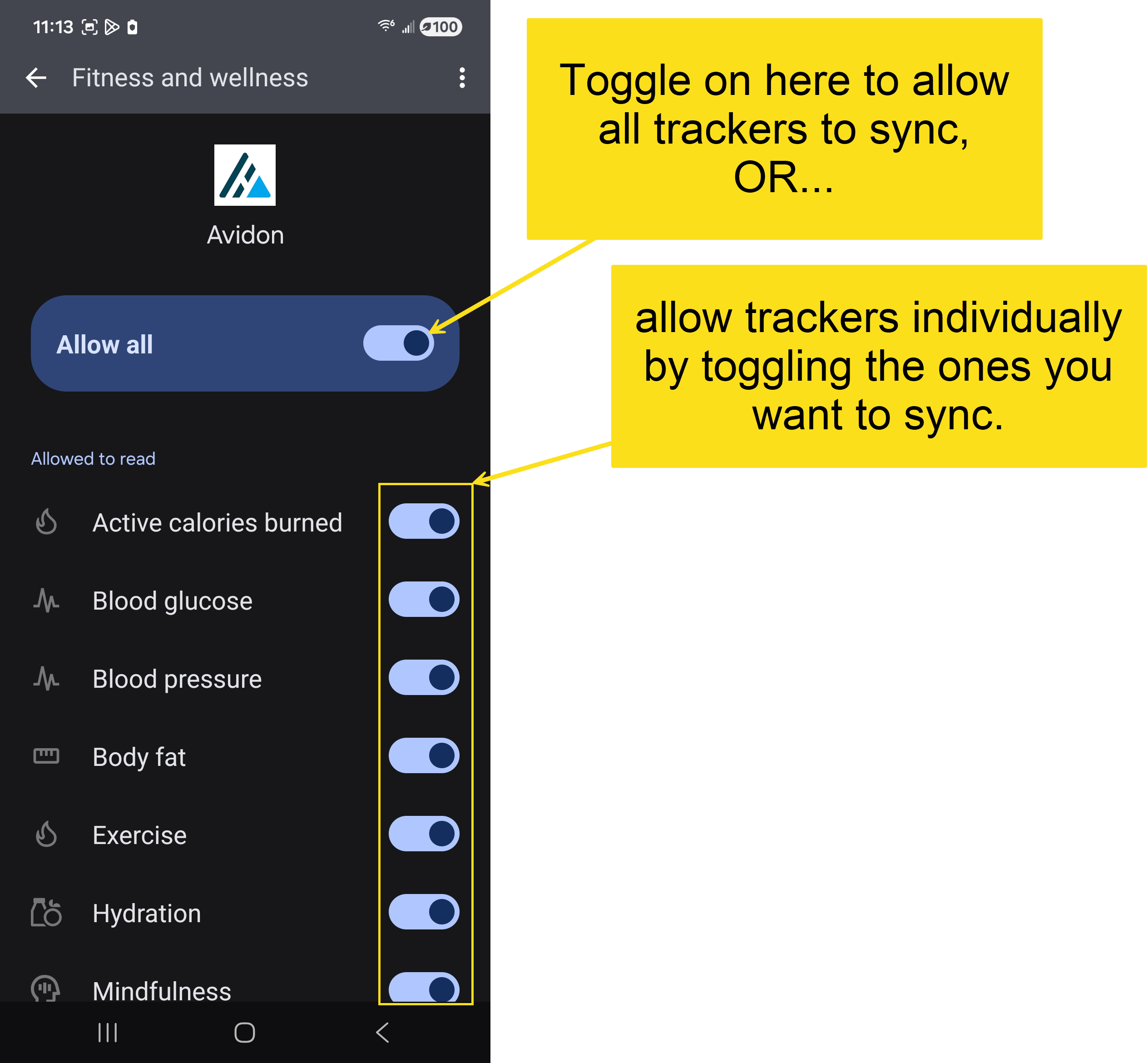
On the Health, fitness and wellness screen, you can toggle the 'Allow All' option or enable single items from the list:
In some cases, the names used by Avidon for its trackers and the names used by Google Health for their data types aren't the same. For instance, Avidon has a Activity Tracker which would be mapped to Exercise in Apple Health Data. The table below maps Avidon's Tracker names to Google Health's Data.
| Avidon Tracker Name | Google Health Data Type |
|---|---|
| Activity | Exercise |
| Blood Glucose | Blood Glucose |
| Blood Pressure | Blood Pressure |
| Body Fat | Body Fat |
| Calories | Active Calories Burned |
| Hydration | Hydration |
| Sleep | Sleep |
| Steps | Steps |
| Weight | Weight |
Was this article helpful?
That’s Great!
Thank you for your feedback
Sorry! We couldn't be helpful
Thank you for your feedback
Feedback sent
We appreciate your effort and will try to fix the article