This article will help you troubleshoot issues where your device may not be syncing correctly, which can lead to missing or inaccurate step data.
How Your Data Syncs
Your activity data syncs once a day at midnight, so it will not show data from the current day.
Most connected devices can sync up to 90 days of past activity. Our system does not calculate or recreate historical data—it only displays what your connected app (such as Apple Health or Google Fit) sends to us.
Some devices only share 90 days of history from the moment you connect them. After that, new daily data will continue to sync normally.
For example, Apple Health typically provides up to 90 days of past steps when linked through our Health API. Anything older than that will not appear because Apple Health does not share it.
Manually entered steps will still show for each individual day, but they will not be included in your automatic year-to-date totals. The most accurate way to keep a running total is to sync a compatible app or wearable.
Troubleshooting: How to Disconnect and Reconnect Your Device
If your device is not syncing properly, the first recommended step is to disconnect and then reconnect it. Please follow the instructions below:
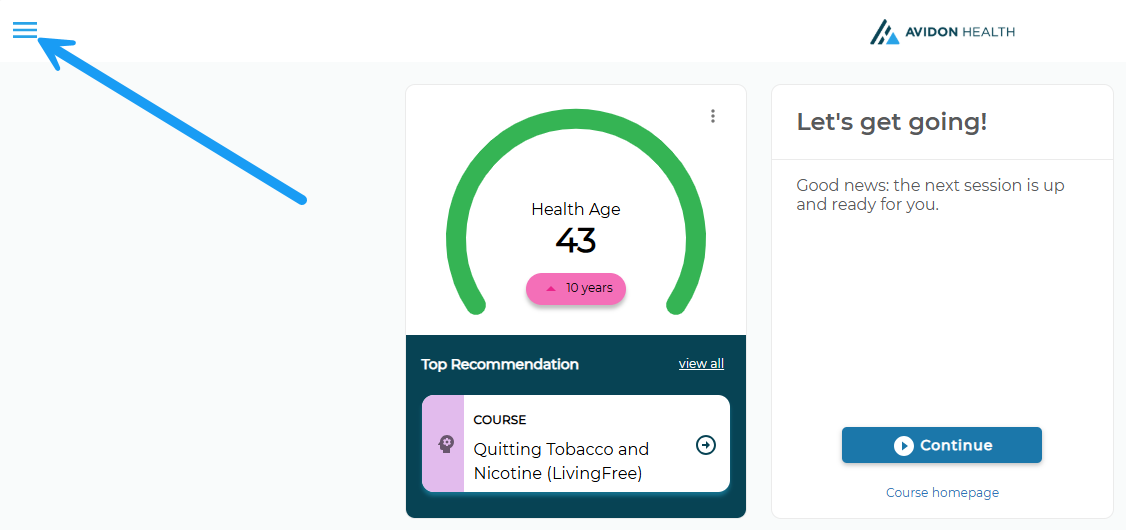
1. From your homepage, click the hamburger menu in the top-left corner.
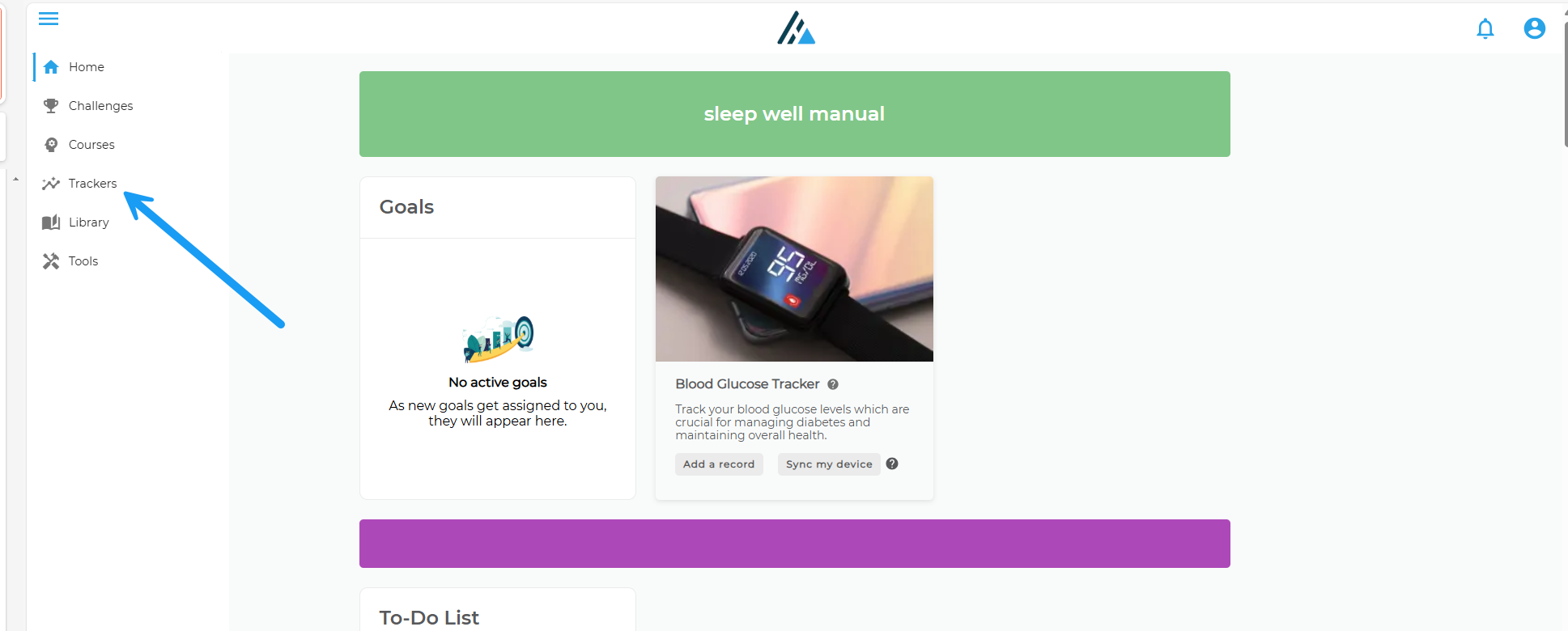
2. Select the Tracker feature from the list of options.
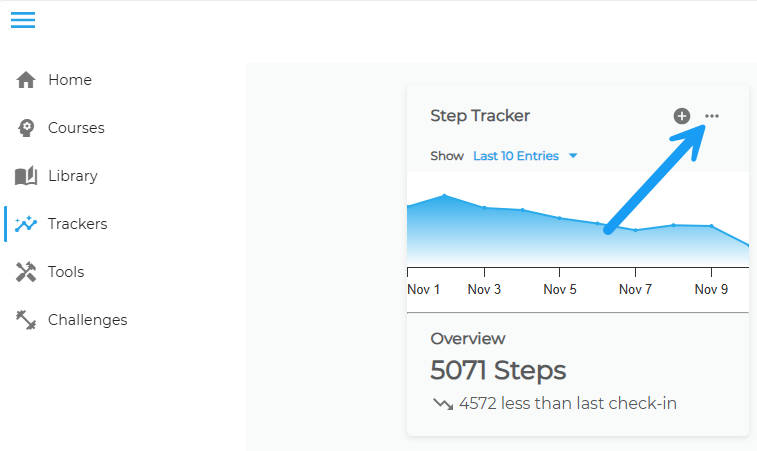
3. This will open your tracker dashboard. In your Steps Tracker, click the three dots in the top-right corner.
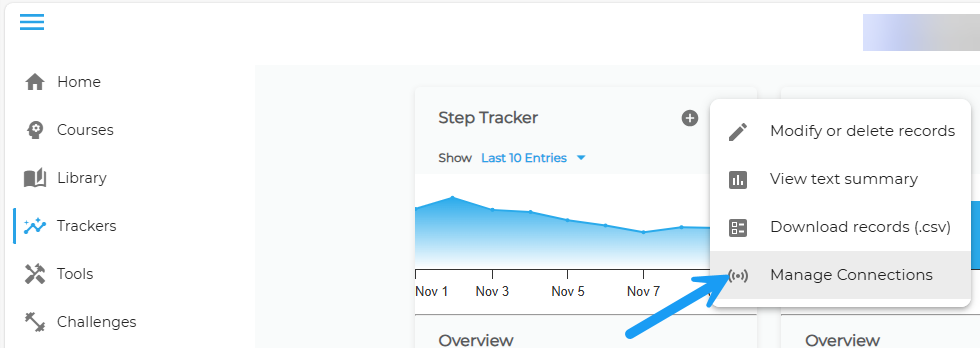
5. Click Get Started, then select the white band that says Connected.
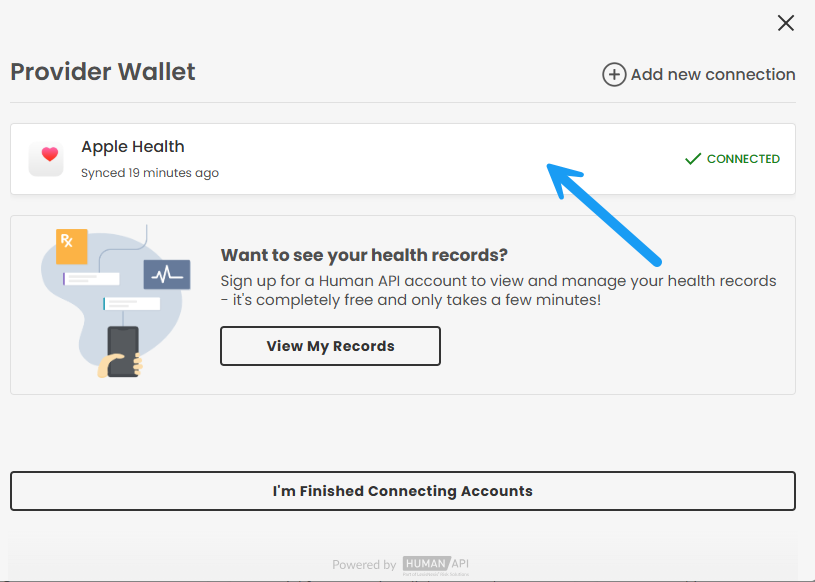
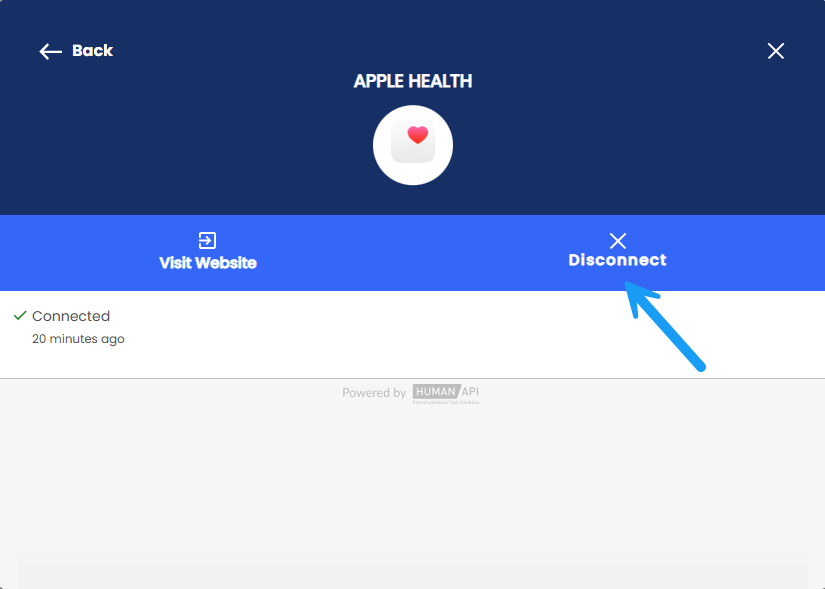
When reconnecting your device, please pay close attention to any permission requests that appear. Granting these permissions is essential for proper syncing.
If you need additional help reconnecting your device, this solution article provides a step-by-step guide:
How to Sync a Wearable to your Tracker
Was this article helpful?
That’s Great!
Thank you for your feedback
Sorry! We couldn't be helpful
Thank you for your feedback
Feedback sent
We appreciate your effort and will try to fix the article