The Avidon mobile app allows you to access your courses, habit builders, challenges, trackers, and coaching tools directly from your smartphone or tablet. The app makes it easy to stay engaged wherever you are.
Note: With the mobile app, you can sync any devices you use to track health data.
You can get the app by logging into your account on the website (step-by-step instructions below) OR you can go directly to the store that is applicable to your device and searching for Avidon Health:
- Google Play: https://play.google.com/store/apps/details?id=com.avidonhealth.avidon&hl=en_US
- App Store: https://apps.apple.com/us/app/avidon/id1563270918
Getting the Mobile App from Your Member Portal
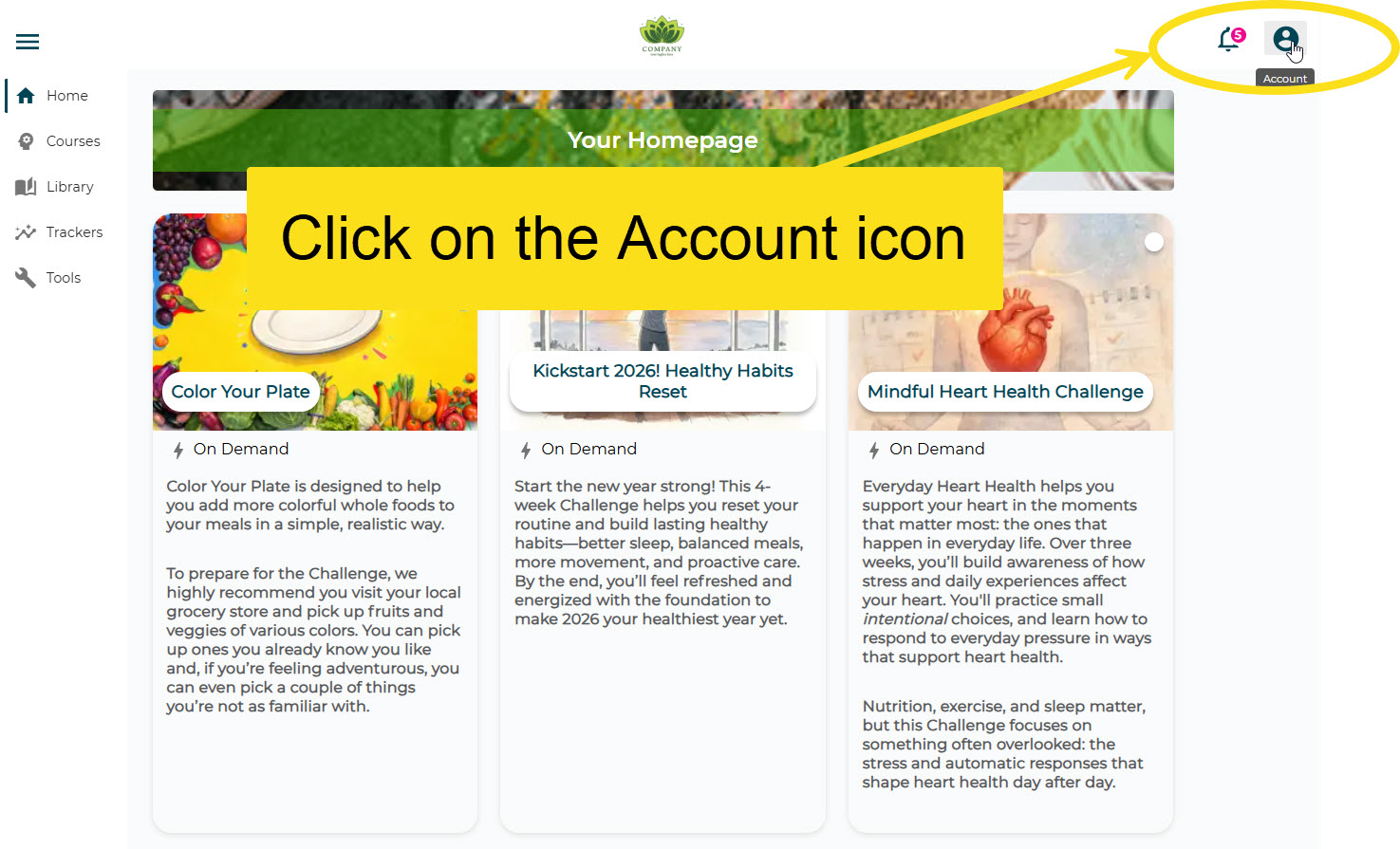
Step 1: Click the blue Account Icon in the top right corner of the page
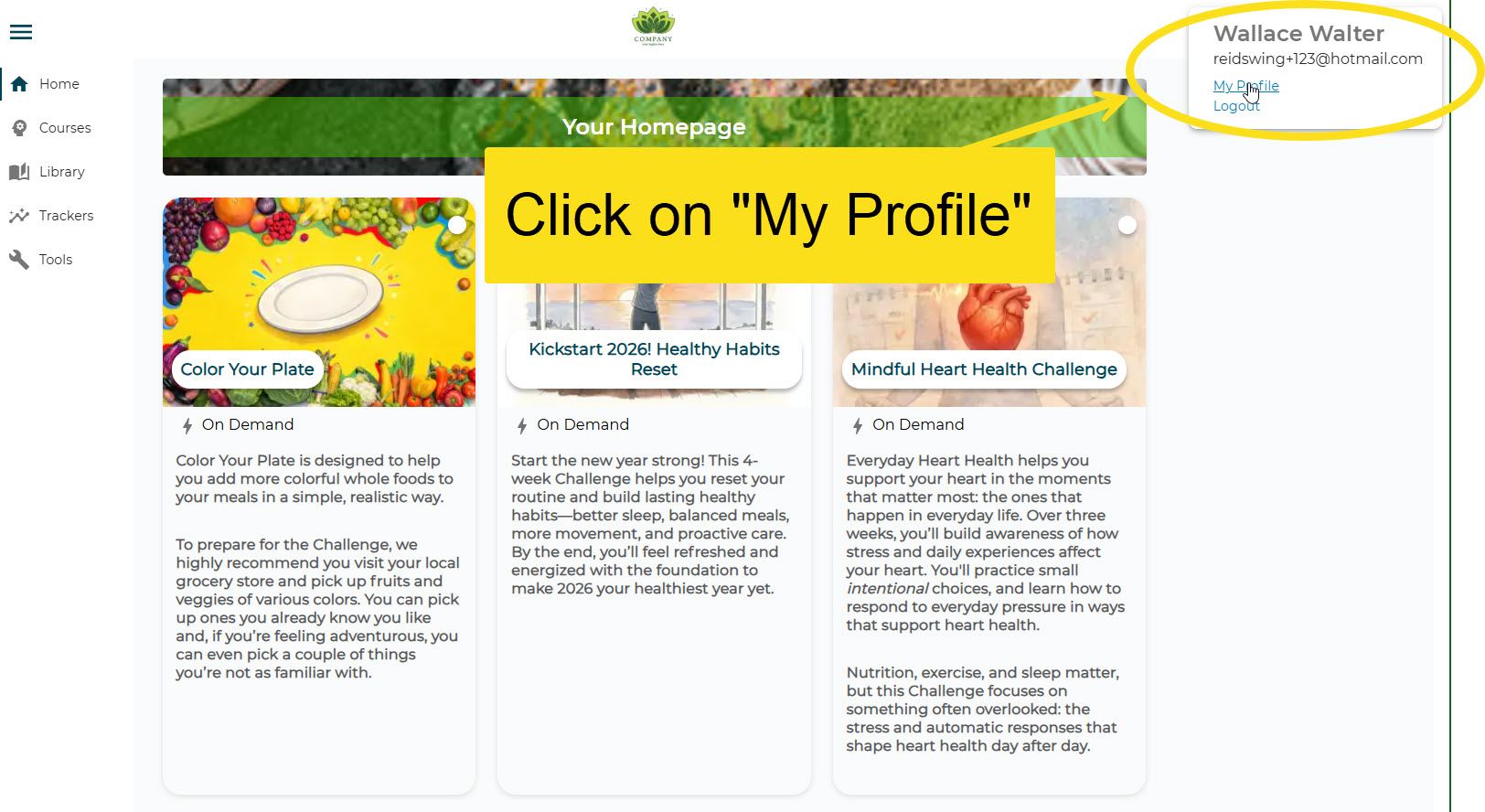
Step 2: Click on My Profile
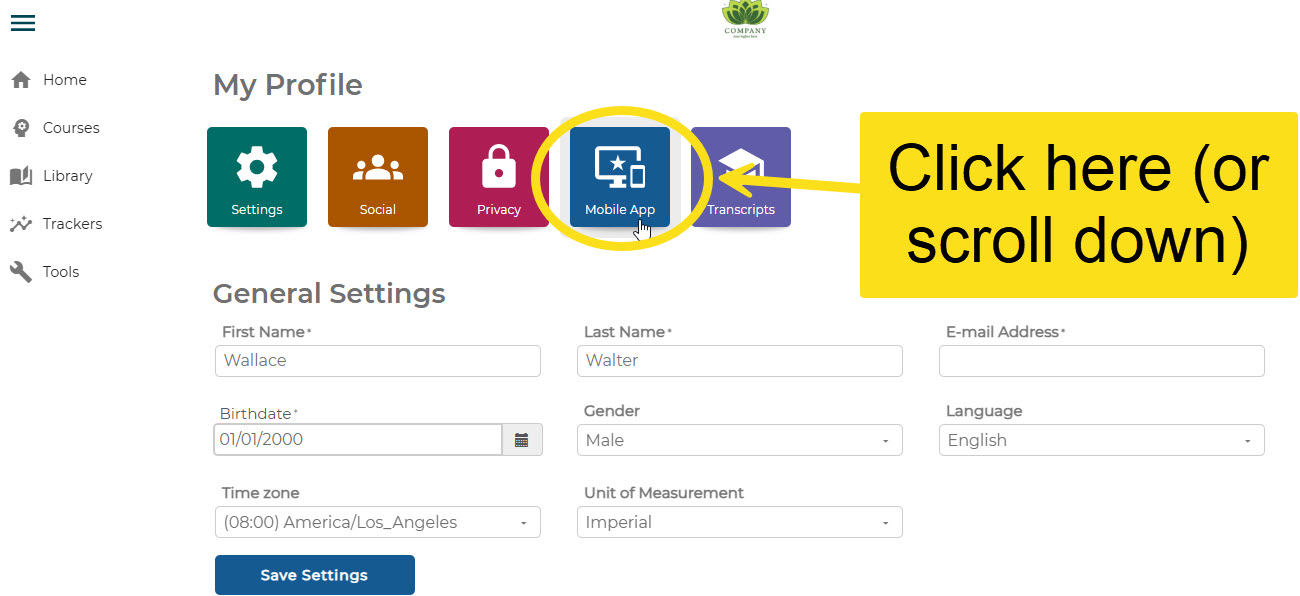
Step 3: Click on the Mobile App icon.
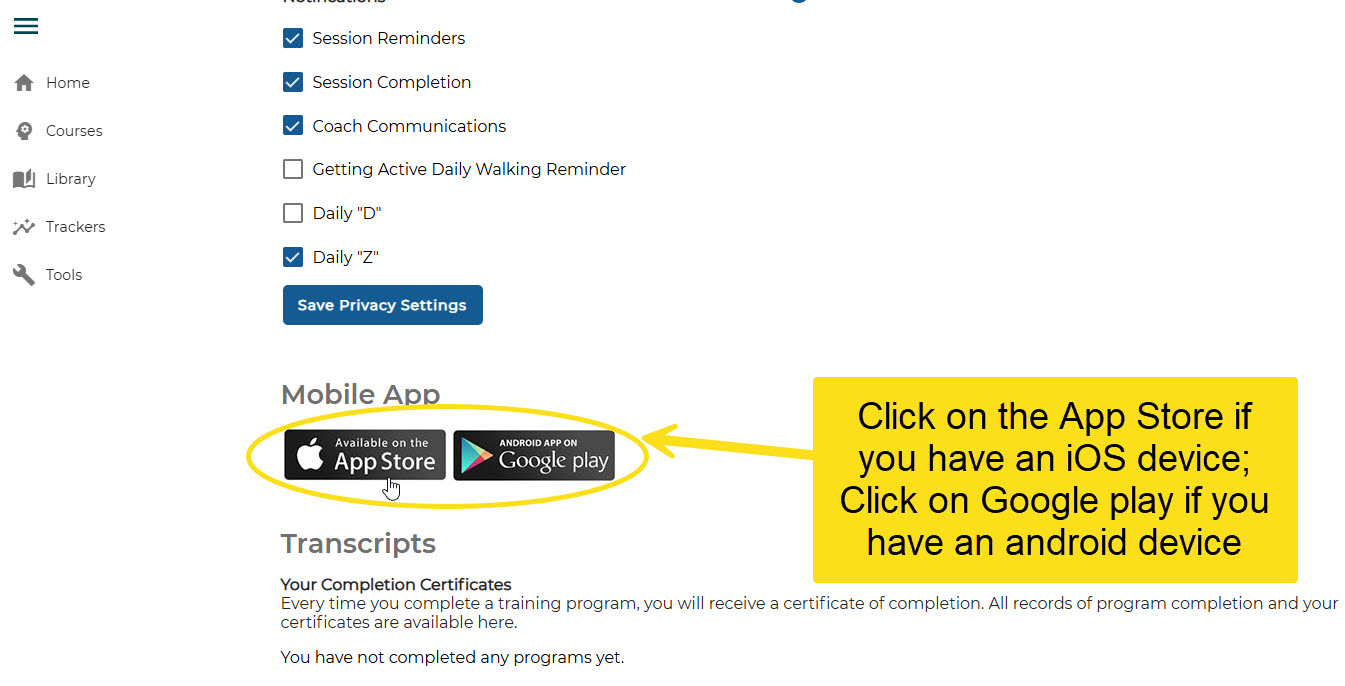
Step 4: Click the App button for the store that applies to your device.
Step 5: Download the app, install it, and enter your credentials you normally use to access your Avidon account.
Was this article helpful?
That’s Great!
Thank you for your feedback
Sorry! We couldn't be helpful
Thank you for your feedback
Feedback sent
We appreciate your effort and will try to fix the article